Subscribe to Paperpile
After your free trial, you'll need a subscription to continue using Paperpile. We offer competitive pricing, including academic and group discounts, and a transparent subscription model that allows you to cancel at any time.
Subscribe
Click the profile picture on the bottom left and go to Settings > Billing. Click Subscribe now.
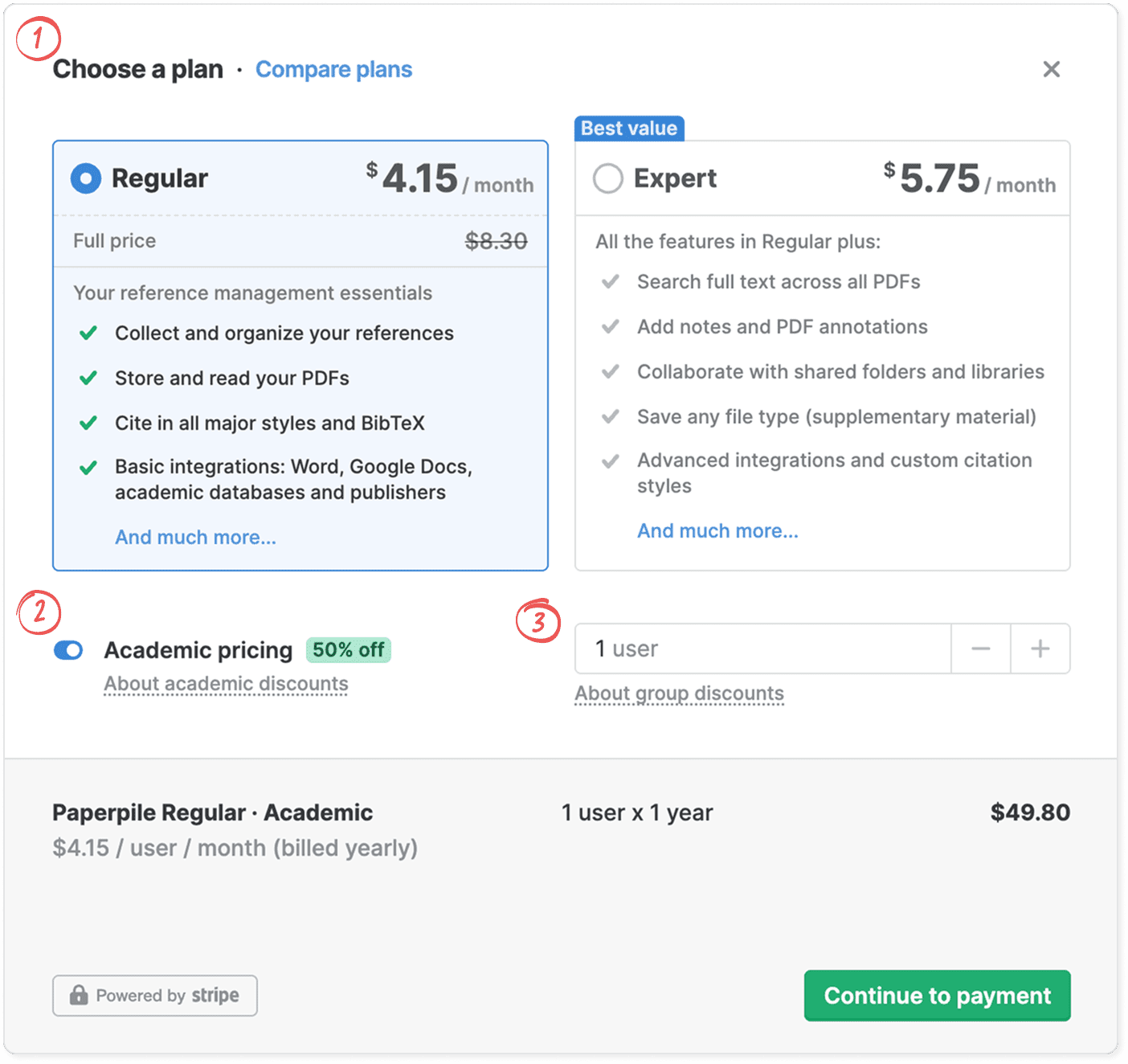
- Choose a plan: If you want core reference management features at an affordable price, select “Regular”. If you need advanced features and collaboration for teams and shared work, select “Expert”. See Choose the right plan for you for more details. If you wish to purchase an “Enterprise and Institutions” plan, contact sales@paperpile.com to request a quote. See Enterprise subscriptions for more details.
- Academic discount: If you are a student, faculty, or a researcher affiliated with an accredited university, recognized research institution, or eligible non-profit organization, turn on Academic pricing to receive a 50% discount on.your chosen plan.
- Number of users: If the subscription is just for you, leave it at 1 user. If you want a team subscription, click the plus button to add more users. Group discounts are available for the “Expert” plan, and the discount increases with the number of users. See Get a Paperpile subscription for your team or organization.
Click Continue to payment.
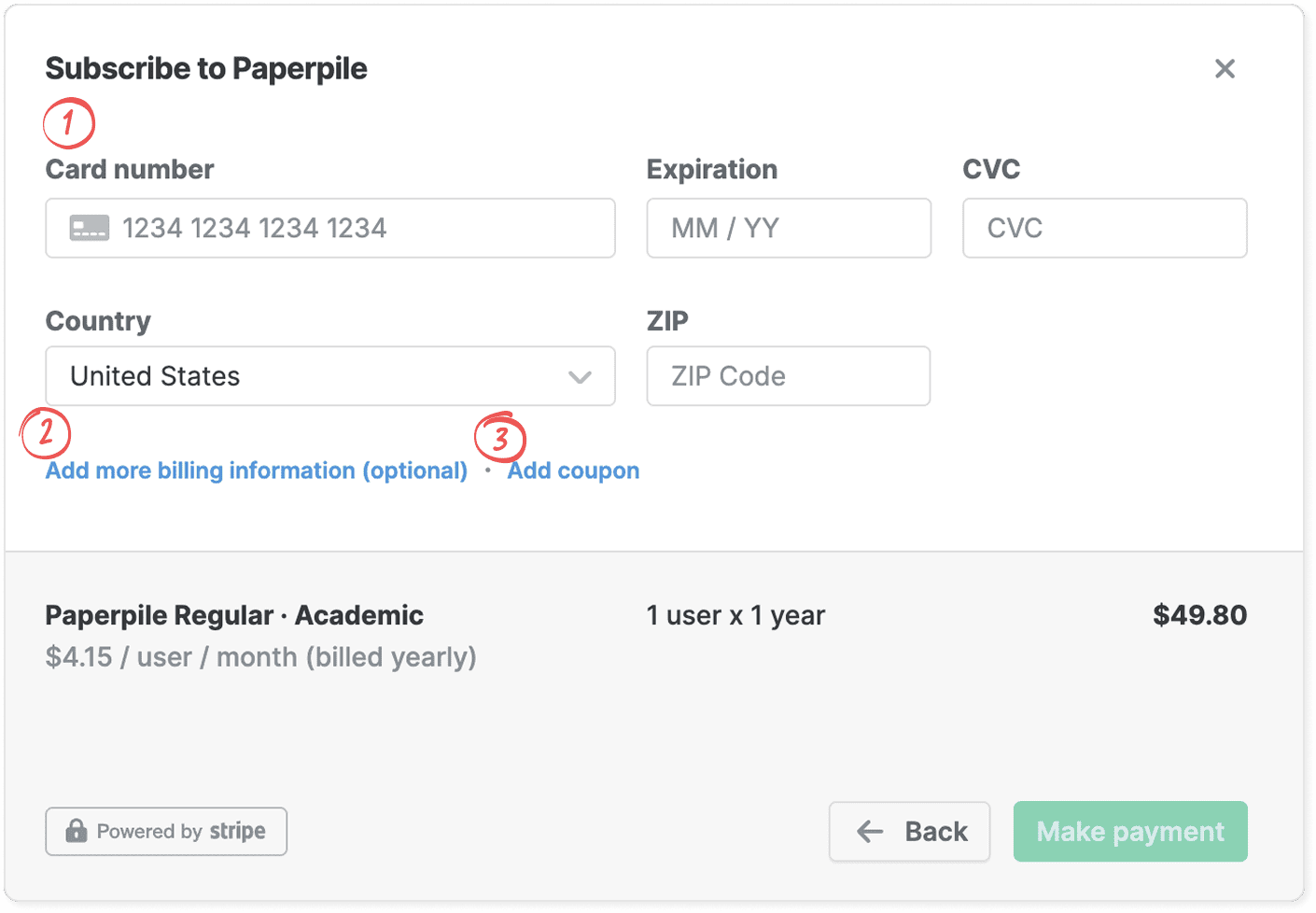
In the subscription dialog, enter the required information to make your payment:
- Credit card details: Enter your credit card details. We accept all major cards. See Payment methods.
- Add more billing information: Add your billing address, tax registration number, and any other additional information you want on your invoice and receipt. See Invoices and receipts.
- Add coupon: If you have a coupon code, click Add coupon and enter your coupon code. Make sure to enter it before click Make payment. See Coupons.
After you have subscribed
- We’ll send you an email with all information about your subscription.
- We’ll send you a receipt as a PDF and online link via email.
- You can make changes to your subscription in Settings > Billing. See: Make changes to your subscription
- You can view past receipts in Settings > Billing. See: Invoices and receipts