View and annotate PDFs with other PDF viewers
PDFs open in the Paperpile viewer by default, which supports highlights and annotations. Alternatively, you can also choose to open them in your browser's default viewer or in Google Drive.
Change the PDF viewer
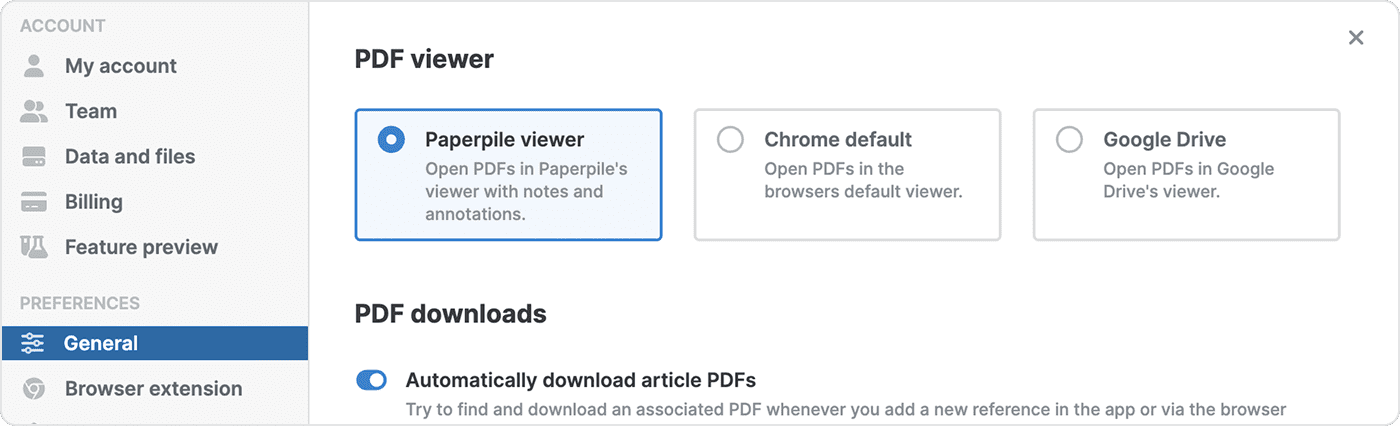
Click your profile picture in the bottom left, then go to Settings > General. In the “PDF viewer” section, choose your preferred option:
- Paperpile viewer — View and annotate PDFs in Paperpile.
- Chrome default — View PDFs in the browser's default viewer.
- Google Drive — Open PDFs in Google Drive's viewer.
Annotations and external viewers
Annotations you make in the Paperpile viewer are saved directly in the PDF and will be visible when you open the same file in any other viewer.
If your files are synced to Google Drive, from there you can also open and annotate them in other third-party viewers. Annotations added this way should sync back to Paperpile in most cases.