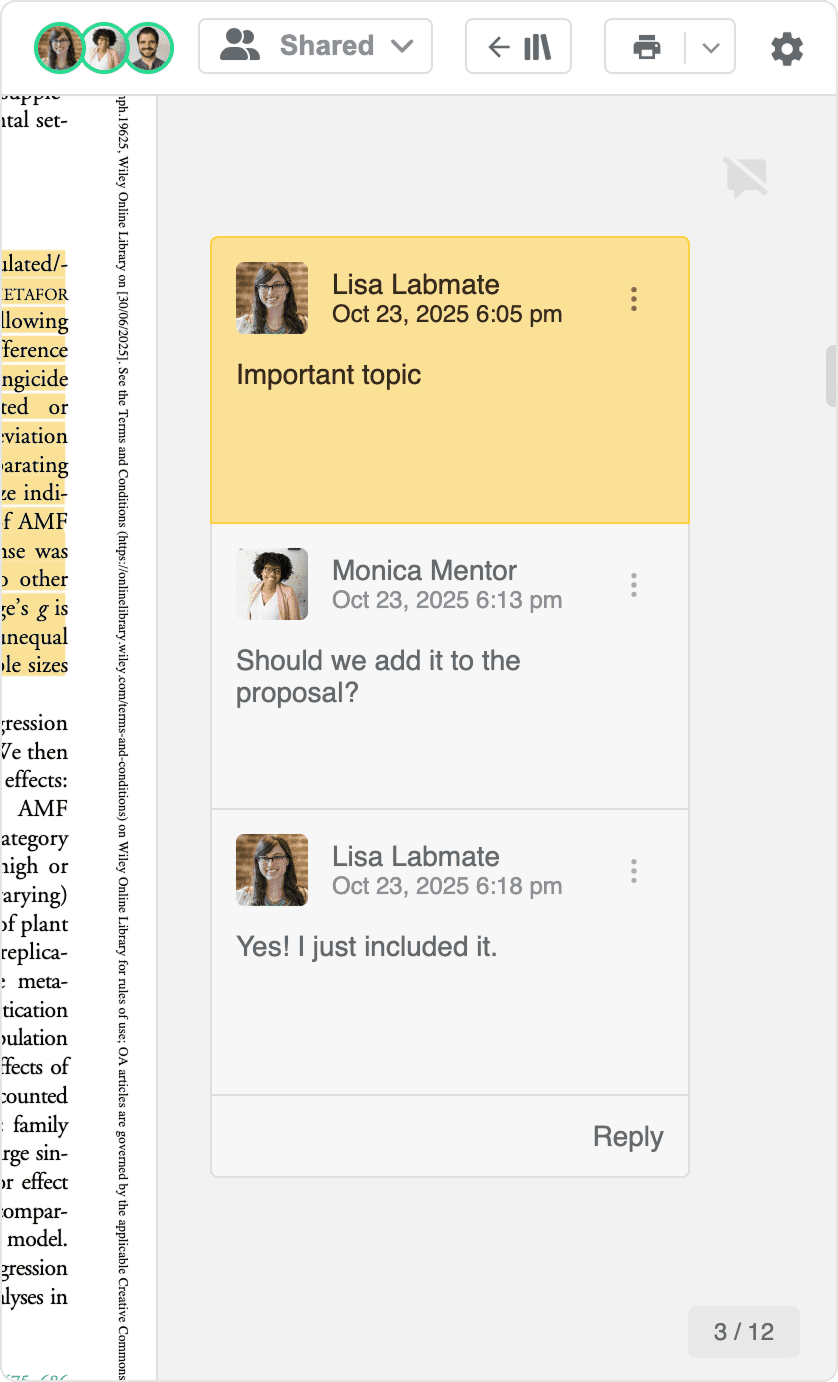
Annotate PDFs collaboratively with others
Work together on PDFs in Paperpile by adding highlights and comments directly in shared documents. Everyone with access can see annotations in real time, reply to comments, and follow who contributed. For details on sharing settings and collaboration options, see Sharing in the new Paperpile.
Choose shared annotations
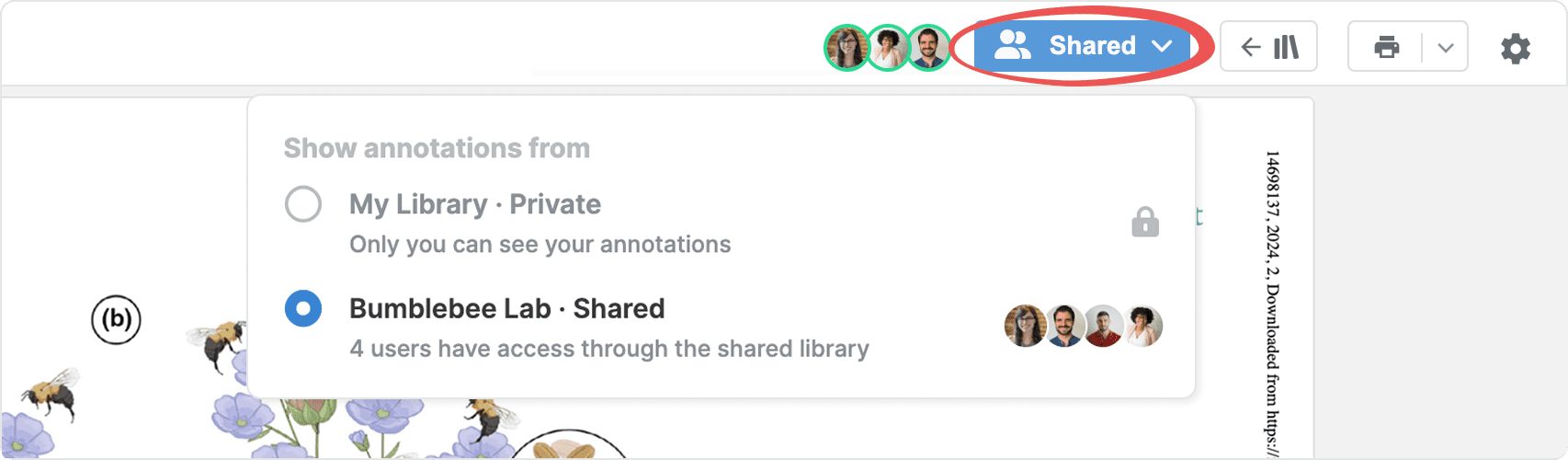
When you open a PDF, choose between private (in your personal library) or collaborative annotations (in shared libraries and in shared folders).
See who is viewing
In the PDF viewer toolbar, profile pictures show everyone currently viewing the PDF.
See who added annotations
Each highlight and comment shows the author’s name and date of creation. Comments also display profile pictures.
Reply to comments
Click the speech bubble near the top right corner to show all comments. Select Reply on the desired card to add your comment to the thread.